
How to Choose Desktop Speakers: A Practical Edifier Buying Guide
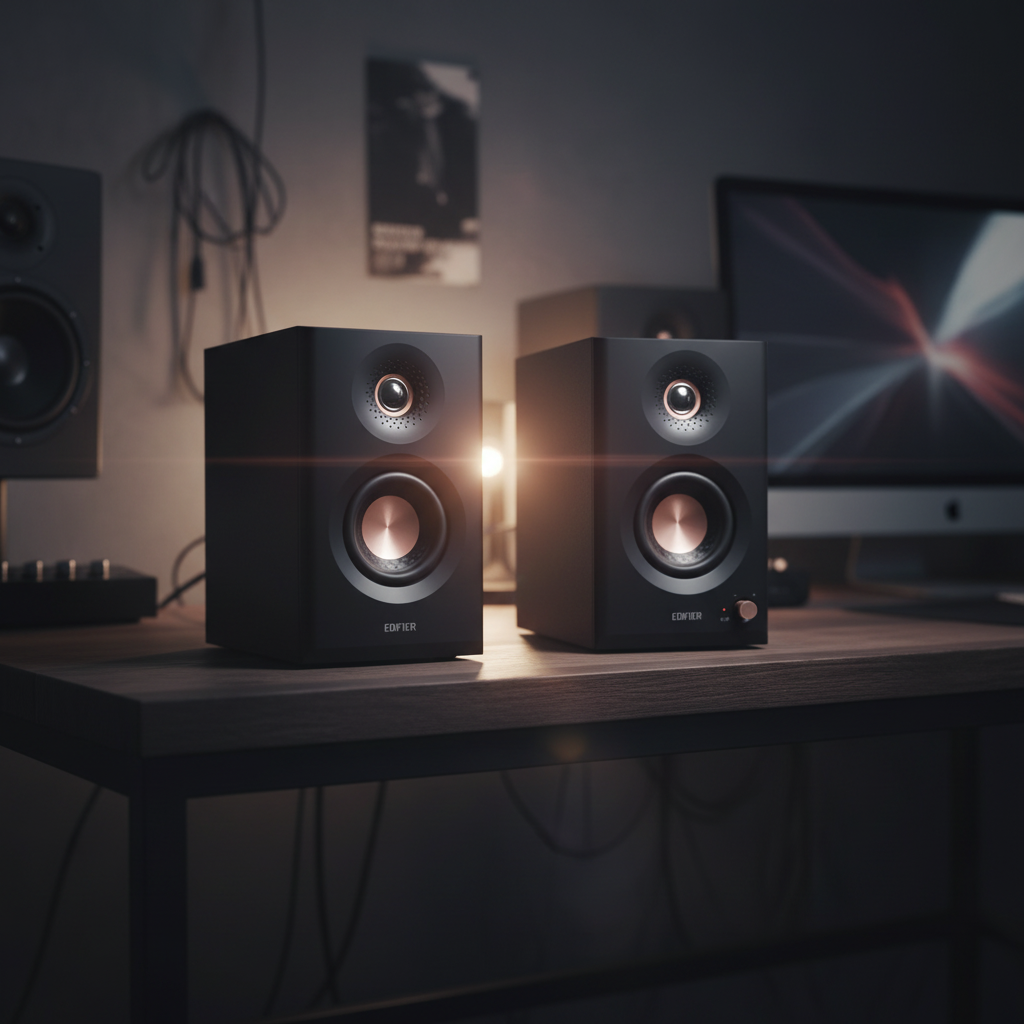
Buying desktop speakers in Pakistan usually starts with a simple problem: your laptop or monitor speakers sound thin, and you want something better without filling your room with cables. The good news is that a pair of active bookshelf speakers fixes this for most people. The harder part is choosing the right size, the right inputs and whether you need a subwoofer.
This guide explains how to choose desktop and bookshelf speakers step by step, using real models from the Edifier range with their published specifications. By the end, you'll know which type of speaker suits a study desk, a gaming setup, a home office or a small living room.
Quick answer: For most desks, a compact pair of active 2.0 bookshelf speakers with Bluetooth and at least one wired input (USB-C, AUX or optical) is the right choice. Choose bigger drivers or a 2.1 system if you want stronger bass for movies and games, and pick studio monitors such as the Edifier MR4 or MR5 if you edit audio or want a flatter, more neutral sound.
Table of contents
- Active or passive speakers: which do you need?
- How big should desktop speakers be?
- 2.0 or 2.1: do you need a subwoofer?
- Which inputs and Bluetooth versions matter?
- What does RMS power actually tell you?
- Edifier desktop speakers compared
- Which Edifier speaker suits you?
- Frequently asked questions
Active or passive speakers: which do you need?
Active speakers have the amplifier built in, so you plug them into power and your source and they work. Passive speakers need a separate amplifier or AV receiver. For a desk, a gaming setup or a student room, active speakers are almost always the better choice because they take less space and cost less overall.
Every model in this guide is an active speaker. That means you don't need to budget for an amplifier, and the amplifier inside has been matched to the drivers by Edifier.
How big should desktop speakers be?
For near-field listening, where the speakers are about an arm's length from your ears, a woofer of roughly 3 to 4 inches is enough for clear, full sound. Larger 5-inch woofers and bigger cabinets start to make sense when the speakers are further away or you want more bass without a subwoofer.
- Small desk or laptop setup: compact speakers such as the Edifier M60, which uses 3-inch mid-low drivers and 1-inch silk dome tweeters.
- Standard desk with a monitor: 4-inch bookshelf or monitor speakers such as the Edifier MR4.
- Larger desk, bedroom or small living room: 5-inch designs such as the Edifier MR5, or a larger bookshelf pair like the R1700BTs.
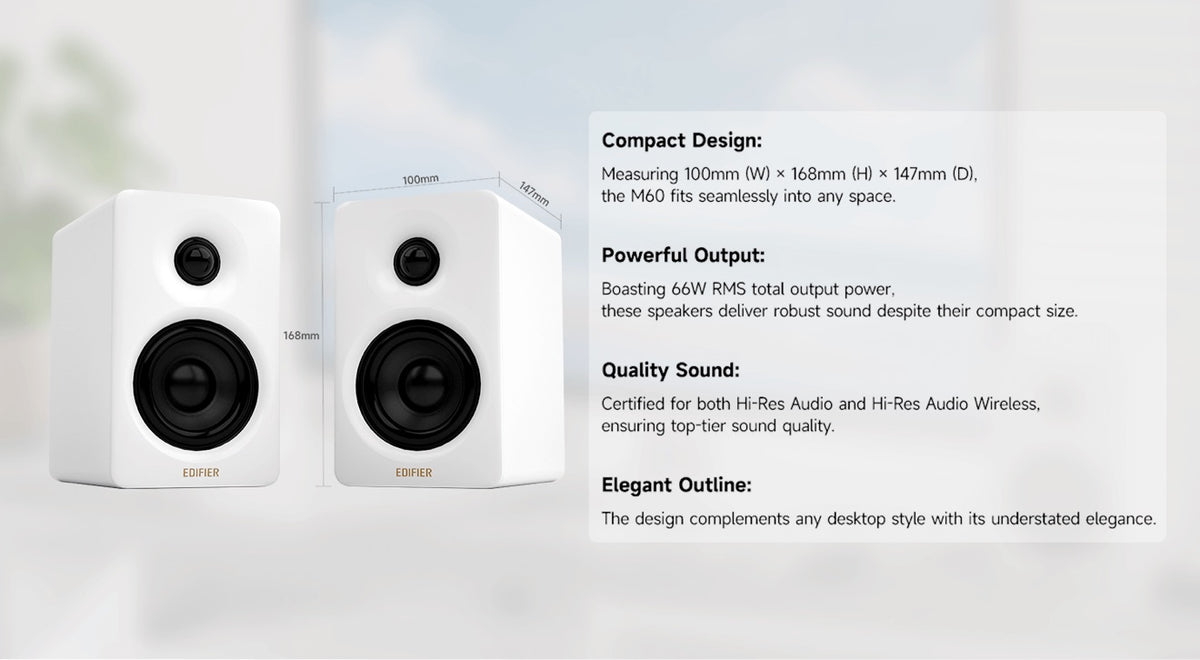
Leave a little space behind rear-ported speakers and try to raise them to ear height. Stands help: the M60 includes speaker stands in the box.
2.0 or 2.1: do you need a subwoofer?
A 2.0 system is two speakers; a 2.1 system adds a separate subwoofer for low bass. For music, calls and everyday listening, a good 2.0 pair is usually enough. A subwoofer helps most with movies, action games and bass-heavy music.
You don't always have to decide now. Some 2.0 models have a subwoofer output, so you can add one later. The Edifier R1280DBs and R1700BTs both include a Sub Out, which makes them a flexible starting point if you're not sure how much bass you'll want.
Which inputs and Bluetooth versions matter?
Match the inputs to what you'll actually plug in. Here's what each common input is good for:
| Input | Best for |
|---|---|
| Bluetooth | Phones and tablets, quick wireless listening |
| USB-C | Laptops and PCs with a single cable (on models that support USB audio) |
| Optical / Coaxial | TVs, consoles and PCs with digital audio output |
| RCA / AUX (3.5mm) | Turntables with a preamp, older PCs, media players |
| Balanced XLR / TRS | Audio interfaces and mixers used for recording and editing |
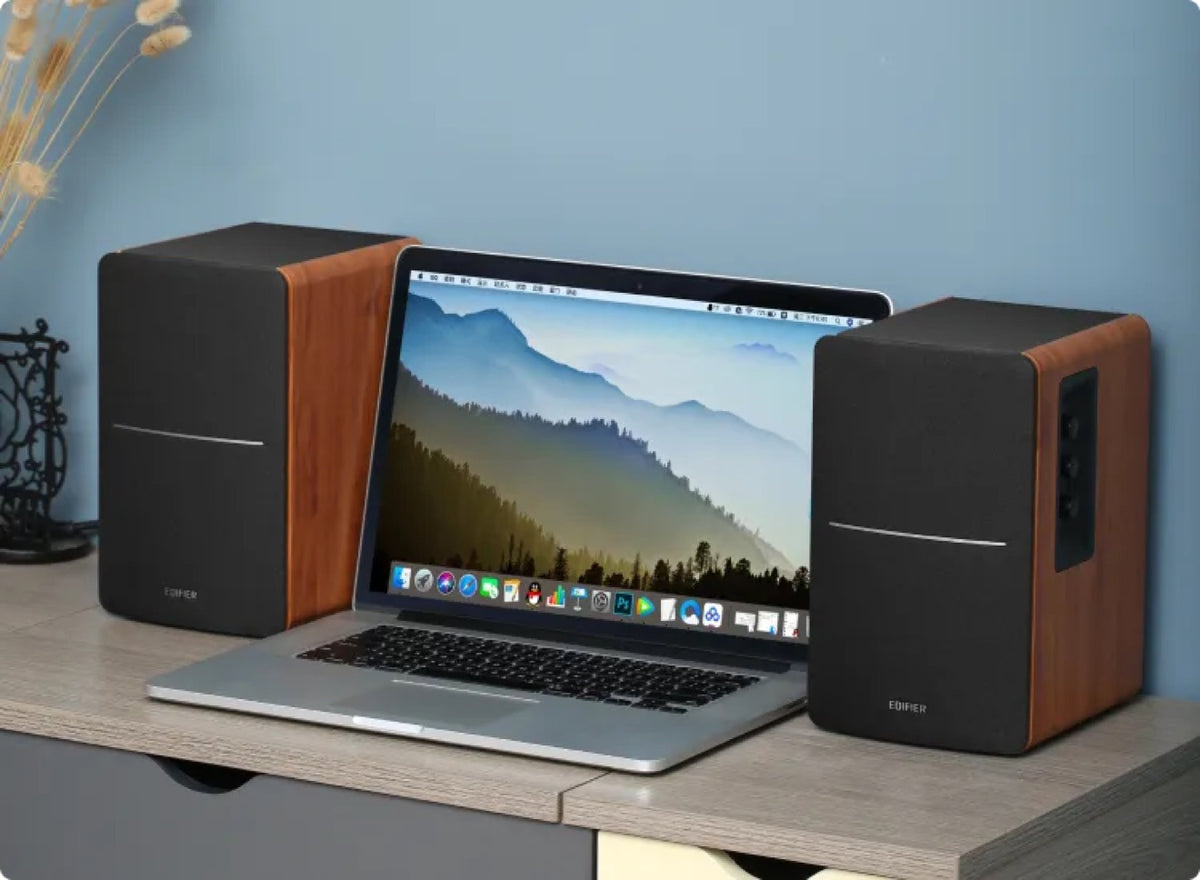
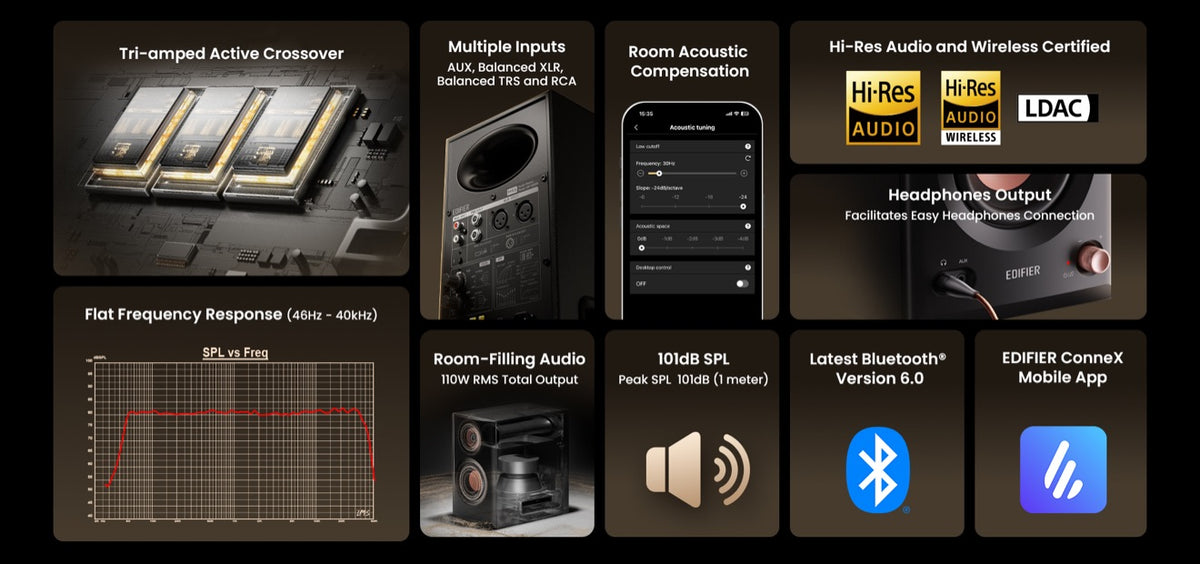
Newer Bluetooth versions generally give a more stable connection. The M60 uses Bluetooth 5.3, while the MR5 uses Bluetooth 6.0 with multipoint support. If you care about wireless sound quality, look for codec support such as Qualcomm aptX HD, which the R1700BTs offers.
What does RMS power actually tell you?
RMS power is the continuous power the amplifier can deliver, and it's a more honest number than "peak" power. Higher RMS power means the speakers can play louder with less strain, which matters in bigger rooms. On a desk, even 40 to 60 watts RMS is plenty for most people.
Don't choose on watts alone. Driver quality, cabinet design and tuning have a bigger effect on how the speakers actually sound at normal volume.
Edifier desktop speakers compared
The table below uses Edifier's published specifications. Prices change, so check the current price on each product page.
| Model | Type | Total power (RMS) | Key inputs | Best for |
|---|---|---|---|---|
| Edifier M60 | Compact 2.0 desktop | 66W | Bluetooth 5.3, USB-C, AUX | Small desks, laptops, home office |
| Edifier MR4 | 4-inch studio monitor | Check product page | AUX, connections for mixers and interfaces, headphone out | Creators on a budget, neutral sound |
| Edifier MR5 | 5-inch 3-way studio monitor | 110W | XLR, TRS, RCA, AUX, Bluetooth 6.0 | Music production, detailed listening |
| Edifier R1280DBs | Bookshelf 2.0 with Sub Out | 42W | Bluetooth, optical, coaxial, dual RCA | TV, PC and music with room to add a sub |
| Edifier R1700BTs | Bookshelf 2.0 with Sub Out | 66W | Bluetooth 5.0 with aptX HD, dual RCA | Bigger rooms, wireless music |
| Edifier S360DB | 2.1 system with 8-inch subwoofer | 155W | Bluetooth with aptX, digital inputs | Movies, gaming, living rooms |
Which Edifier speaker suits you?
For students and home offices
The Edifier M60 is well suited to students and home-office desks because it's compact, connects over USB-C or Bluetooth, and includes stands that angle the sound towards you. Its 66W RMS output is more than enough for a bedroom or small study.
For content creators and music producers
Studio monitors aim for accuracy rather than extra bass. The MR4 is a practical first monitor pair, while the MR5 adds a three-way design, room acoustic compensation settings and balanced XLR and TRS inputs for audio interfaces.
For TV, gaming and movies
If you'll connect a TV or console, look for optical or coaxial inputs. The R1280DBs covers this and adds a Sub Out. For the biggest sound, the S360DB is a 2.1 system with an 8-inch subwoofer and 155W RMS total power.
If you're still comparing, explore all Edifier speakers available in Pakistan and filter by price and type.
Frequently asked questions
What are the best speakers for a desktop PC in Pakistan?
For most PC desks, a compact active 2.0 pair with USB-C or optical input and Bluetooth is the best balance of size, sound and convenience. The Edifier M60 suits smaller desks, while the R1280DBs is a good choice if you also want to connect a TV or add a subwoofer later.
Do I need a subwoofer for desktop speakers?
No, not for most people. A good 2.0 pair gives full, clear sound at desk distance. Add a subwoofer if you watch a lot of action movies or play games where deep bass matters. Choosing speakers with a Sub Out, such as the R1280DBs or R1700BTs, keeps that option open.
Are studio monitors good for listening to music?
Yes, if you like an accurate, balanced sound. Studio monitors such as the Edifier MR4 and MR5 are tuned to be neutral, so music sounds closer to how it was mixed. Some listeners prefer speakers with more emphasised bass, so try both styles if you can.
Can I connect Bluetooth speakers to a laptop with a cable?
Usually, yes. Most Edifier active speakers include at least one wired input alongside Bluetooth, such as USB-C, AUX or optical. Check the input list on the product page to match your laptop's ports.
Where can I listen to Edifier speakers before buying?
You can visit the Edifier Experience Center at Office No. 19, 2nd Floor, Hafeez Center, Gulberg III, Lahore, to hear speakers side by side. See our Experience Center guide for directions.
Choosing your next desktop speakers
Start with your space and your sources. A compact active 2.0 pair covers most desks, especially if it has the wired input your laptop or PC needs. Move up to 5-inch speakers or a 2.1 system when your room is larger or you want more bass for movies and games. If accuracy matters more than excitement, a pair of studio monitors will serve you better.
Every Edifier speaker sold here comes through the official distributor with local warranty and after-sales support. When you're ready, browse Edifier speakers or contact our team for a recommendation based on your room and budget.